You finished fieldwork. You've got six hours of recordings, forty pages of notes, and a stakeholder readout in three days. The first thing standing between you and your analysis is the transcript.
This is the part nobody talks about in research methods courses: transcription is tedious, it eats time you don't have, and it sits right at the beginning of your synthesis process. Get it wrong or skip it, and the rest of your workflow gets harder.
Here's a straightforward guide to transcribing interviews, the tradeoffs between your options, and what to do once you have a transcript so you're not spending the next two afternoons hunting for timestamps.
What Interview Transcription Actually Involves
Transcription converts spoken audio or video into written text. For qualitative researchers, this means turning session recordings, whether Zoom calls, in-person interviews, or moderated usability tests, into a searchable document you can tag, code, and pull quotes from.
The transcript becomes your primary artifact for analysis. It's what you highlight, annotate, share with collaborators, and pull verbatim quotes from when you're building your research report or stakeholder presentation.
There are three main ways to transcribe an interview: manually, using automated transcription software, or a hybrid of both.
Option 1: Manual Transcription
Manual transcription means listening to your recording and typing what you hear, word for word. For a one-hour interview, expect to spend three to five hours transcribing it yourself, depending on audio quality, the number of speakers, and how fast you type.
When it makes sense: Short studies with one or two sessions, when you need very high accuracy for academic citation, or when the subject matter is highly specialized (medical, legal, technical) and automated tools routinely misidentify terminology.
The real cost: Most researchers underestimate how much manual transcription slows analysis. If you're spending five hours per session transcribing, that's not time you're spending on synthesis. It's also cognitively draining work that happens before the interesting part starts.
Option 2: Automated Transcription Software
AI-powered transcription tools have improved significantly in the last few years. Tools like Otter.ai, Fireflies, and the transcription built into Zoom will generate a transcript in minutes, not hours.
Accuracy varies. Under good conditions (clear audio, one speaker, minimal crosstalk) you can expect 90 to 95% accuracy from most modern tools. That drops quickly with heavy accents, poor audio, multiple speakers talking over each other, or field-specific jargon.
The standard workflow looks like this:
Upload your recording (MP4, MP3, M4A, and most common formats are supported)
Wait for processing (usually a few minutes for a one-hour session)
Review and correct errors in the output
Export as a text file, Word doc, or PDF
Most tools let you export with or without timestamps. Keep the timestamps. You'll want them if you're going back to find a specific quote in the original recording.
Accuracy review is not optional. Even at 90% accuracy, a 60-minute interview might have dozens of errors. Proper nouns, brand names, and niche terms are the most common failure points. Budget 20 to 30 minutes per hour of audio for cleanup.
Option 3: Hybrid Approach (What Most Researchers Actually Do)
Run automated transcription first, then do a targeted review rather than reading every line. This means listening to specific sections you flagged as important during the session, correcting errors in those passages, and leaving lower-stakes sections at their automated accuracy.
This is a reasonable compromise when you need a fast turnaround and already know which parts of the session matter most. It's also where good note-taking during the session pays off.
How to Prepare Your Recording for Better Transcription
Automated tools perform better with better source audio. A few things that actually make a difference:
Use a dedicated microphone. Laptop mics pick up everything in the room. An external USB microphone or a decent headset significantly improves transcription accuracy.
Record in a quiet space. Background noise (HVAC, keyboard clicks, street traffic) degrades accuracy more than most people realize.
Ask participants to use headphones. Echo from speakers talking back into the mic creates transcription errors.
Name your recording files immediately. "Zoom_20260301_092847.mp4" is useless in six weeks. Use a consistent naming convention that includes the participant pseudonym and session number.
None of this is groundbreaking advice. The reason it's worth repeating is that bad audio is the most common reason a 30-minute transcription job turns into a two-hour correction session.
Working With Your Transcript: The Part That Matters for Research
Once you have a usable transcript, the research work begins. This is where most guides stop, which is a problem, because what you do with a transcript is at least as important as how you got it.
The typical post-transcription workflow:
Read through once without annotating. Get a feel for what the participant actually said versus what you were expecting to hear.
Apply your coding scheme. Whether you're using affinity mapping, thematic analysis, or a more structured approach, this is where you start tagging and grouping observations.
Pull key quotes. These are the passages you'll cite in your report or use in stakeholder communication.
Match quotes back to the recording. If you need video clips for a highlight reel or stakeholder shareout, you need the timestamp for each quote you want to use.
That last step is where the process breaks down for most researchers.
The Timestamp Problem (And Where Researchers Lose Hours)
Here's what actually happens after synthesis: you have 15 great quotes across six interviews. You need to turn three of them into clips for a stakeholder presentation. You open your transcript, find the quote, look at the timestamp, scrub to that point in the video, realize the timestamp is off by 45 seconds, find the actual clip start, manually trim, export, repeat.
For three clips, this might take an hour. For a 10-clip highlight reel across multiple sessions, it can consume an entire afternoon.
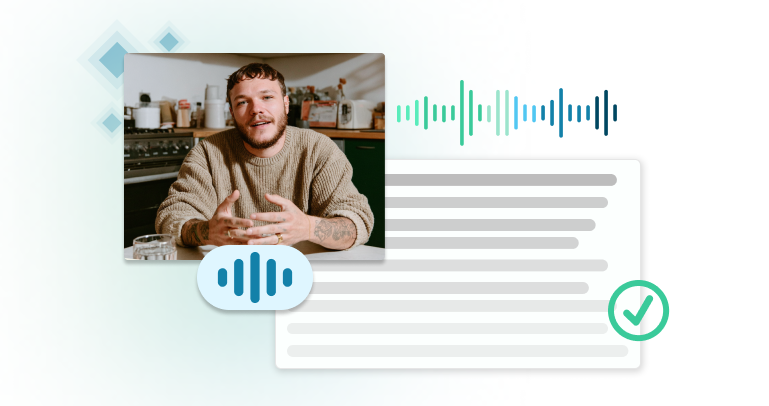
This is the workflow that Clipses was built to eliminate. After you upload your recordings to Clipses and get your transcripts, you select the quotes you want directly in the transcript view, and Clipses generates the highlight reel from those selections automatically. No timeline scrubbing, no export settings, no going back and forth between your transcript and your video files.
UX researchers commonly report spending as much time on synthesis and shareout as on fieldwork itself, with highlight reel creation alone often taking several hours per study. The transcript-to-clip step is where a significant chunk of that time goes.
When AI Clip Creation Makes Sense (And When It Doesn't)
Automated clip creation from transcripts is useful when:
You're presenting findings to stakeholders who weren't in the sessions
You need to show, not just tell, what participants said
You're working across multiple sessions and need to compile clips from different recordings
Your clients or internal partners respond better to hearing participants directly than reading quotes in a deck
It's less useful when:
Your stakeholders prefer written deliverables
You're working in a context where video sharing creates data privacy concerns
The clips require significant editorial context that a short video segment can't provide
The research judgment still lives with you. What gets extracted, what story the reel tells, which quotes represent the finding and which are outliers: none of that is automated. The automation handles the mechanical work of finding the clip in the recording and stitching segments together.
A Practical Workflow for Interview Transcription and Clipping
Here's what a reasonable end-to-end process looks like for a five-session qualitative study:
Before fieldwork: Set up your recording environment, test audio quality, establish your file naming convention.
During sessions: Take timestamped notes for any quote you know you'll want to use. Even rough timestamps ("~22 min, talked about confusion at checkout") save time later.
Immediately after each session: Upload the recording while the session is fresh. Don't let files accumulate. Automated transcription runs in the background while you're writing your session notes.
During synthesis: Work from the transcript. Tag, code, and pull quotes. Let the transcript do the heavy lifting so you're not rewatching footage to find observations.
At shareout: If you need clips, select your quotes in Clipses, generate the reel, and share a link or download for embedding. This happens in minutes, not hours.
The Bigger Picture
Transcription is infrastructure. It's not the analysis. The sooner you can get from recording to searchable text, the sooner you can do the work that actually requires your expertise.
Automated transcription has made the first step faster. The next bottleneck is the step after synthesis: turning your analysis into something stakeholders will actually engage with. For many research teams, that's where video clips and highlight reels come in, and where the time cost is still high.
The researchers who are most effective at influencing product and business decisions aren't necessarily the ones running the best studies. They're the ones who can share what they found in a way that sticks. A well-made highlight reel of three participants saying the same thing about your checkout flow is often more persuasive than 20 pages of synthesized findings.
That's worth spending your time on. The timestamp hunting isn't.
Clipses is a tool that turns interview transcripts into shareable highlight reels. Researchers upload their recordings, select quotes from the transcript, and generate a clip reel without manual video editing. Start for Free.